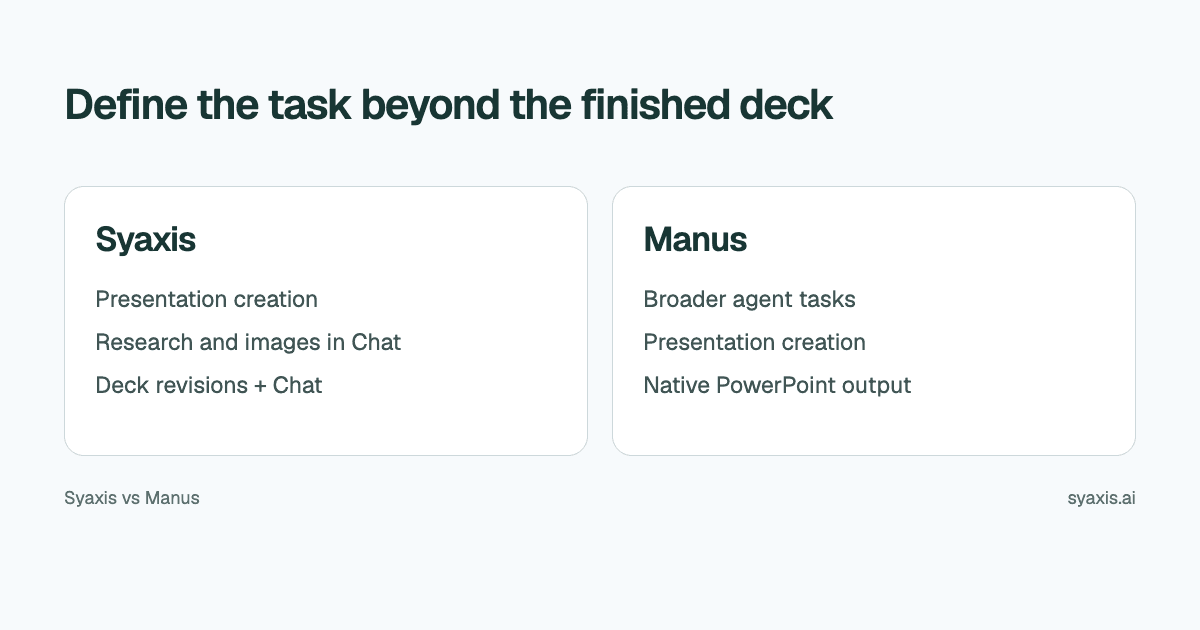
Syaxis and Manus both research topics and create presentations. Syaxis centers the deck in a saved presentation workspace alongside general-purpose Chat and image work. Manus treats presentation creation as part of a broader agent task, with connected sources and a documented native PowerPoint mode. The useful distinction is the work you delegate and where you make the next revision.
In Syaxis, a simple brief can start presentation creation directly; research and content preparation happen within that workflow. Chat is optional preparation when you want to examine sources and shape the material yourself.
Choose Syaxis when your regular work combines AI conversations, research, images and presentations you return to revise. Choose Manus when you are delegating a broader task and its agent capabilities or integrations are part of the requirement. Both research and create slides; exporting PowerPoint alone does not separate them.
Written by Syaxis from product documentation reviewed on October 9, 2026.
One Syaxis subscription covers everyday AI Chat, research, images and presentations, within plan allowances.
Manus’s native PowerPoint announcement specifies a beta mode on 1.6 and Max models; account availability matters.
Decide whether you need a maintained deck, a broader delegated task, or both.
Compare the scope of the task
Manus’s PowerPoint announcement describes native PPTX, editable charts and tables. It specifies beta availability on 1.6 and Max models. Confirm that PowerPoint mode is available in your account rather than transferring that claim to every Manus mode.
The Manus product overview presents the service as an agent for broader work. Evaluate the specific task or integration you need rather than treating every AI chat product as interchangeable.
Manus also documents direct slide and image edits, including prompt-based visual changes. A saved deck, image generation or conversational revision is therefore not an exclusive Syaxis capability.
| Decision | Syaxis | Manus |
|---|---|---|
| Presentation creation | Brief → built-in research and content preparation → slides | Agent researches and creates slides from a task brief; native PPTX in eligible PowerPoint mode |
| Inputs | A simple brief is enough; optionally add notes or files, or curate the content in Chat first | Documents, URLs, notes, research and connected Sheets data |
| Research | Built-in research during presentation creation; web search, source reading and uploaded-file analysis in Chat | Research-to-deck workflow documented |
| Changes | Revise the saved deck through conversation and edit slide text directly | Direct text/visual edits and prompted changes; editable data in PowerPoint mode |
| Delivery | Editable PowerPoint (.pptx), PDF reading copies and PNG slide images | Native PPTX in PowerPoint mode, with beta/model conditions |
| Included AI tools | Presentations, everyday Chat, research, image generation and editing | Broader agent tasks and integrations, with presentation creation |
Separate the presentation from the surrounding assignment
Imagine a founder asking for a competitor briefing. That phrase can mean several tasks: find the competitors, verify their offers, assemble a comparison, create a presentation and distribute it to colleagues. Buying a presentation tool does not automatically cover every step in that broader assignment.
In Syaxis Chat, you can research competitors, examine supplied material and develop images without starting a presentation. When you need the briefing deck, ask for it in that conversation and open the resulting presentation workspace for revisions. If the assignment also requires maintaining a database in another app or emailing the result, assess those integrations separately. Syaxis’s presentation workflow does not supply that cross-app automation.
| Part of the assignment | Specify explicitly |
|---|---|
| Research question | What decision will the comparison support? |
| Evidence boundary | Which markets, dates and official sources count? |
| Deck | What must the audience understand or approve? |
| Follow-up work | Which actions happen outside presentation creation? |
A competitor table needs comparable evidence
A researched presentation can be wrong even when every quoted number appears on a real page. One vendor's annual price and another vendor's monthly price are not comparable without explanation. A per-seat allowance is not the same as an organization-wide one.
For the briefing, request the same dimensions for every company: product scope, audience, billing term, major limits and a source date. Distinguish vendor-stated claims from conclusions you draw. If a feature cannot be established from a reliable source, leave the uncertainty visible.
Syaxis's creation flow can use research, but you should still verify the claims that affect the decision. A source mentioning AI research does not prove automatic citations on every generated slide. Our research presentation guide provides a practical way to organize evidence before it becomes a recommendation.
Native PowerPoint is an important capability, not a quality score
The documented PowerPoint mode retains chart data and table structure for editing in Manus or after download. The announcement distinguishes it from Standard and Image modes. For a recurring briefing, being able to change source values is a substantive requirement, separate from whether the deck looks polished.
Syaxis exports PPTX, PDF and PNG. Its export supports native slide objects, but image-based visuals remain images. If the next author must update chart data, inspect the actual chart object rather than assuming either product’s file extension settles the question.
An exported deck should keep dates, conditions and caveats understandable. A price comparison that loses its billing footnote becomes misleading even if the slide looks cleaner. Check that kind of information at normal reading size in the receiving app.
Revise the decision, not just the appearance
Suppose the briefing first compares products for an individual founder and then needs to support a team purchase. The question changes. Seat counts, governance and shared work become more important than the lowest individual subscription price.
In Syaxis, ask for a revision to the saved deck: ‘Reframe this for a five-person team. Preserve the source dates. Separate per-user charges from shared allowances and mark information that has not been verified.’ Use direct text edits for precise approved language once the argument is right.
Do not let a revision turn an unknown feature into a confident assertion. The useful review asks whether each recommendation still follows from the evidence. That applies whether the work is produced by a presentation workspace or a broader agent.
Optional: curate the briefing and visuals in Chat first
If you want to shape the content yourself before generation, Chat provides an optional preparation step. Use Syaxis Chat to investigate public competitor offers and compare them with the material you provide. Ask it to distinguish published prices, plan conditions and unanswered questions. Research is available as a conversational task; you do not have to create a deck to use it.
Chat also generates and edits images. For the briefing, use a conceptual illustration for an idea and an authentic screenshot for a real competitor interface. Ask Chat for the deck when ready, then open its presentation workspace for slide changes. Manus also documents generated images and visual editing within slides; the distinction is Syaxis’s ongoing multi-model Chat alongside its deck workspace, rather than exclusive image tools.
Basic and above permit supported model choice in Chat; Free uses Auto. This combination fits repeated investigation and deck authoring. If you also need an agent to act across other applications, compare the relevant Manus workflow and permissions separately rather than assuming that “research plus slides” covers the entire assignment.
Compare your everyday AI workload, not only the deck
A Syaxis subscription includes general-purpose Chat, research, image generation and editing, and presentation creation. Ask everyday questions, write an email or plan a project without making a deck. If this combination meets your needs, you can consolidate separate chat, research, image and presentation subscriptions into Syaxis. Additional automation in other applications remains a separate requirement.
Consult Manus's current plans and Syaxis pricing for the accounts involved. Credit systems are product-specific, so equal numerical allowances do not imply equal amounts of work.
Syaxis has presentation caps and usage credits. Free exports are branded, and paid plans remain subject to allowances. Include creation, expected revisions and any Chat or image use in the evaluation. Avoid estimating the number of finished decks from a credit total without evidence about the actual workload.
Choose Syaxis when presentations and related Chat work are the task you want to organize. Choose Manus when its broader agent workflow addresses additional requirements that matter to you. For instructions rather than product choice, see the Manus slides guide.
FAQ
Can Manus create a native PowerPoint file?
Yes, through its documented PowerPoint mode. The cited announcement specifies beta availability on 1.6 and Max models. This claim should not be applied to Standard or Image mode; confirm the option available in the account.
Can Syaxis research a topic without creating a presentation?
Yes. Syaxis Chat can search the web and work with uploaded sources, and it can generate or edit images. You can request a presentation afterward. Research in Chat and research during deck creation are current capabilities; they are not a claim of a separate deep-research report workspace or general app automation.
Can I bring research from Manus into a Syaxis brief?
You can bring approved text or supported source material into the presentation brief. Keep the original evidence and qualifications available, and review the resulting deck. Do not assume automatic synchronization between the services.
Choose Syaxis for a researched presentation created directly from a brief and maintained in its deck workspace. Use Chat first if you want to investigate sources or develop image ideas yourself. Choose Manus when the wider delegated task is the reason you need an agent. For a briefing alone, compare evidence handling, revision controls and the actual exported file—not the breadth of the word “agent.”
How we prepare our guides
Syaxis uses AI to assist with drafting and translation. Comparisons draw on linked sources; they are not hands-on tests unless a test method is described. Worked examples are illustrative unless identified otherwise.
Create a presentation
Turn your source material into a presentation, then refine the deck through chat.