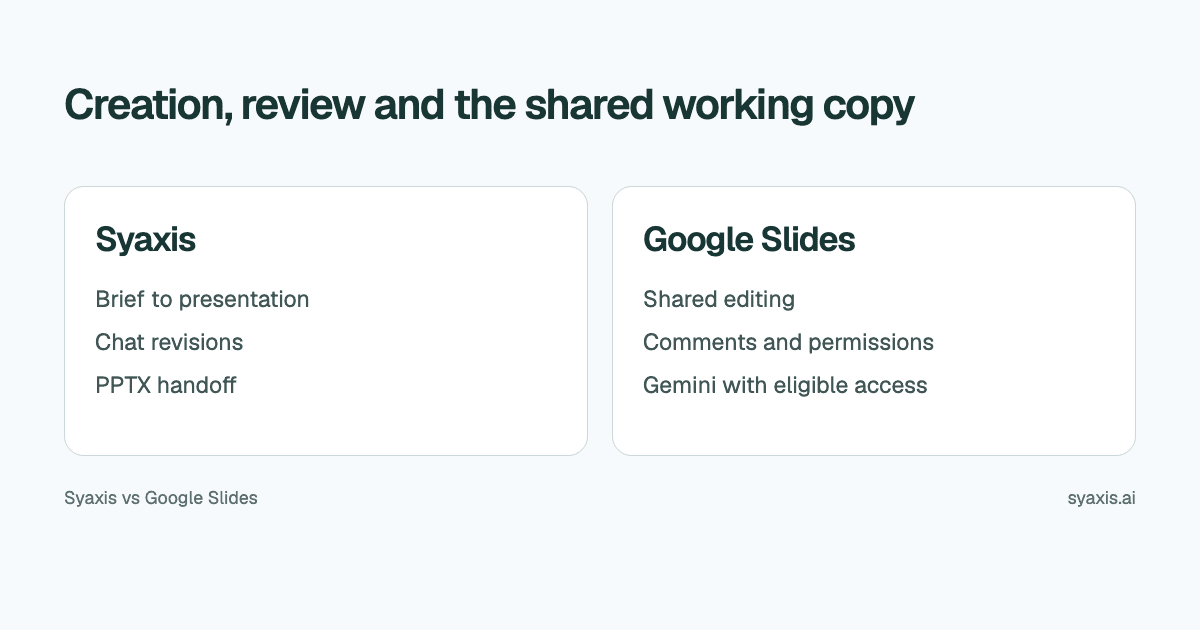
The key choice between Syaxis and Google Slides is where the team will maintain the presentation. Syaxis creates a researched deck from a brief and provides a saved workspace for revisions. Google Slides provides a shared file for coediting and comments, with Gemini creation and refinement available under specific account and feature conditions.
In Syaxis, a simple brief can start presentation creation directly; research and content preparation happen within that workflow. Chat is optional preparation when you want to examine sources and shape the material yourself.
Choose Syaxis when one author wants a researched presentation from a brief, with optional Chat preparation and a dedicated deck workspace. Choose Google Slides when several people must edit and review the same Google file. Both can work from source material; their difference is the authoring and collaboration environment, not the presence or absence of AI.
Written by Syaxis from product documentation reviewed on October 9, 2026.
One Syaxis subscription covers everyday AI Chat, research, images and presentations, within plan allowances.
Exporting PPTX for use in Google Slides is a handoff, not a native synchronized integration.
Syaxis brings multi-model Chat, research and images alongside deck creation; Google Slides keeps team edits and comments in a shared Google file.
The two workflows at a glance
Google's Slides product page describes collaboration, sharing controls and working with presentation files. Syaxis provides a separate authoring workspace; do not assume its account or file permissions replace Google's.
The Gemini generation guide describes source selection and AI refinement; these are not exclusive Syaxis capabilities.
| Requirement | Syaxis | Google Slides |
|---|---|---|
| First draft | Brief → built-in research and content preparation → slides | Manual authoring or Gemini full-deck generation; eligible access, desktop and English only for full-deck generation |
| Research | Built-in research during presentation creation; web search, source reading and uploaded-file analysis in Chat | Gemini can reference web and connected Google sources when enabled |
| Changes | Revise the saved deck through conversation and edit slide text directly | Shared editing; Gemini refinement and image changes where available |
| Team review | Plan a file handoff for external editors | Comments and sharing within Google’s environment |
| Working copy after creation | Saved Syaxis deck; importing an exported PPTX creates a separate Slides copy | Shared Slides file maintained by the team |
| Other AI work | Presentations, everyday Chat, research, image generation and editing | Google account and Workspace capabilities |
Decide who needs to change the working copy
A deck with one author and three reviewers is a different problem from a deck with four coauthors. Reviewers may only need to flag a missing risk; coauthors may need to edit their sections directly. Establish that difference before introducing another tool.
For a fictional quarterly planning meeting, the project lead owns the narrative, finance confirms the figures, and operations reviews delivery risks. If everyone expects to make live edits in a shared Google presentation, a separate creation tool adds a handoff. If the lead creates the deck and distributes a fixed copy after review, that handoff may be straightforward.
| Role | Responsibility |
|---|---|
| Author | Controls the narrative and approved working copy |
| Finance reviewer | Checks figures, periods and assumptions |
| Operations reviewer | Confirms dependencies and risks |
| Presenter | Uses the approved version, not an earlier download |
Compare against the Google AI features you can actually use
As checked on October 8, Google’s full-presentation generation guide specifies desktop, English and an eligible Workspace or Google AI plan; it also identifies Workspace Experiments availability. Those conditions apply to this feature, not every Gemini capability.
The flow can reference Drive files and permitted connected sources, match an existing presentation’s style, and produce an editable deck. That makes it relevant to source-heavy work as well as collaboration. An existing Google account does not automatically establish access to every step.
Syaxis has a localized interface in nine languages and its own presentation creation flow. Interface coverage is separate from generated-output quality. For a multilingual team, verify feature availability in the actual account and review the resulting deck in the audience’s language.
Optional: investigate the planning question in Chat first
If you want to shape the content yourself before generation, Chat provides an optional preparation step. For the quarterly plan, attach the approved targets, proposed work and risk notes in Syaxis Chat. Ask which dependencies affect the approval decision. Chat can work through those files and search public sources for external context; the approved internal documents should remain the source for internal budgets and commitments.
If the plan needs an illustrative visual, ask Chat to generate or edit an image. Then request the presentation from the conversation: “Create a planning deck for department heads. Separate approved work from proposals. Put dependencies before the recommendation. Use the supplied budget figures and mark gaps explicitly.” Research and image work can happen in Chat even if you stop before creating slides.
Open the resulting deck in Syaxis to make conversational revisions or exact text edits. If colleagues need to coedit in Google Slides, export PPTX and establish a clear handoff. Syaxis does not provide native synchronization with the Google file. The presentation outline guide helps define the structure before review.
PowerPoint import is not synchronization
Syaxis offers PPTX export. Google documents working with PowerPoint files in Slides, which creates a possible handoff between the tools. That does not mean every visual transfers without changes or that edits in one workspace automatically update the other.
If colleagues will maintain the presentation in Slides, name the exported version and agree when ownership moves. After that point, sending another export can overwrite the context of an ongoing review unless the team knows which file is authoritative.
Check long headings, tables and important labels in the receiving app. If the audience only needs to read, a PDF may be a simpler deliverable. A fixed document and a collaborative source file serve different purposes; choose intentionally rather than exporting whatever is easiest.
Account for everyday AI work as well as shared slides
Syaxis includes general-purpose Chat, research, image generation and editing, and presentations in one subscription. Use Chat for writing, learning, planning or working through a document even when there is no presentation to make. That can remove the need for separate paid chat, research and image tools if Syaxis covers your requirements, while Google Slides may still be where your colleagues collaborate.
Google Slides can already be part of your team's workflow. The incremental cost of eligible AI access is different from the cost of adopting an entirely new suite; consult Google's plan information for the account type involved.
Syaxis plans include usage credits and presentation allowances. Free exports carry branding. Basic and above allow model choice in Chat, while Free uses Auto. If you will also use Chat or create images there, include that work in the value comparison, but do not confuse it with a Gemini or Workspace subscription.
Choose Google Slides as the main workspace when shared review and Google file ownership dominate. Choose Syaxis when the source-to-deck process and continuing chat revisions are the work you want help with. Both may fit if the handoff is explicit.
FAQ
Does Syaxis create a native Google Slides presentation?
Syaxis exports PowerPoint, PDF and PNG. A PowerPoint file can be taken into a compatible receiving application, but that is different from a native Google Slides integration or synchronized editing.
Can Google Slides create a complete presentation with AI?
Yes. Google documents editable deck generation with Gemini. The full-deck feature reviewed here is desktop and English only, with plan and rollout conditions; it can reference source files and an existing style.
Should I move my team’s review process to Syaxis?
Not simply to try AI drafting. Decide whether reviewers need to edit a shared file. Syaxis can be evaluated for creation while an existing review process remains in its established application.
Choose Syaxis to create and revise decks from a brief, with built-in research and optional Chat for working through the content yourself. Choose Google Slides when maintaining one shared file with coauthors is essential. A Syaxis-to-Slides PPTX handoff can combine the two, but it creates a new working copy rather than synchronized editing.
How we prepare our guides
Syaxis uses AI to assist with drafting and translation. Comparisons draw on linked sources; they are not hands-on tests unless a test method is described. Worked examples are illustrative unless identified otherwise.
Create a presentation
Turn your source material into a presentation, then refine the deck through chat.