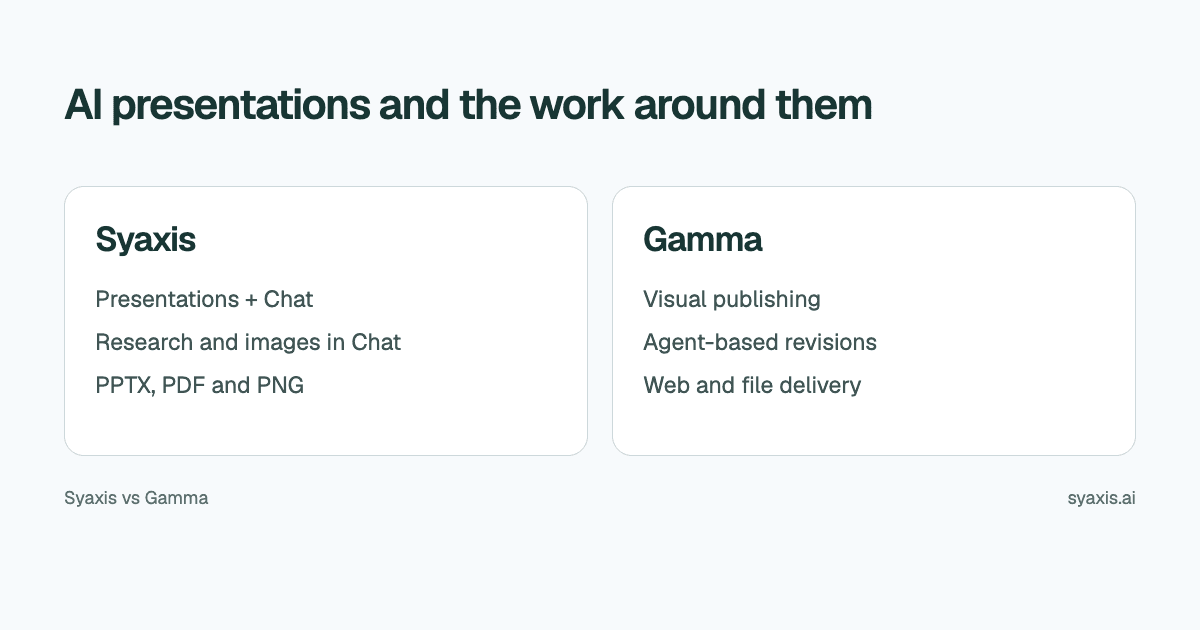
Syaxis and Gamma both research topics, generate presentations and accept conversational revisions. The choice is what else you need around the deck: Syaxis combines a dedicated presentation workspace with everyday, multi-model Chat, research and image work; Gamma extends presentation authoring into documents, websites and social content.
In Syaxis, a simple brief can start presentation creation directly; research and content preparation happen within that workflow. Chat is optional preparation when you want to examine sources and shape the material yourself.
Choose Syaxis when you want everyday AI chat, research and image work alongside a saved presentation you can revise. Choose Gamma when you need to publish the same idea in several visual formats. Gamma also offers research, conversational editing and AI images; those individual capabilities are shared, while the surrounding workflow differs.
Written by Syaxis from product documentation reviewed on October 9, 2026.
One Syaxis subscription covers everyday AI Chat, research, images and presentations, within plan allowances.
Gamma adds website, document and social publishing; it also offers research and AI image tools.
Syaxis Free counts presentations per period; Gamma’s slides-per-prompt limit measures a different allowance.
Syaxis and Gamma at a glance
Gamma’s plans list its publishing formats and exports. Its current Agent guide covers research, planning and revisions. These are documented capabilities, not comparative quality scores.
Gamma’s product overview also documents image generation and editing. The distinction is how those capabilities connect to your daily work, rather than whether Gamma has image tools.
| Decision | Syaxis | Gamma |
|---|---|---|
| Core work | Presentation creation and revision, plus general-purpose Chat | Presentations, documents, websites and social content |
| Create directly from a brief | Brief → built-in research and content preparation → slides | Prompt-driven creation and document imports; Agent supports research and planning |
| Source material | Brief, notes or uploaded files; optional preparation in Chat | Prompt-driven creation and document imports |
| AI changes | Revise the saved deck through conversation and edit slide text directly | Conversational Agent revisions and direct visual editing |
| Research | Built-in research during presentation creation; web search, source reading and uploaded-file analysis in Chat | Agent documents web research and sources |
| Delivery | Editable PowerPoint (.pptx), PDF reading copies and PNG slide images | PPTX, PDF, PNG and Google Slides exports; web publishing |
| Images | Generate images from a prompt and edit them with follow-up feedback in Chat; uploaded images can also be edited | AI image generation and editing in Gamma |
| Beyond the deck | General-purpose Chat; supported models from multiple providers on Basic and above; Free uses Auto | Websites, documents, social content and AI images |
A customer proposal: standalone deck or web-based resource?
If you want to shape the content yourself before generation, Chat provides an optional preparation step. Suppose an account manager needs an expansion proposal containing the customer’s baseline, proposed scope, implementation risks and investment request. If the customer will circulate a PowerPoint or PDF internally, a deck is the main deliverable. If the same material should become a browsable resource or social content, publishing formats become part of the purchase decision.
Gamma’s Agent workflow accepts notes and files, asks clarifying questions and lets you review a plan before it builds. Research and chat-based changes are part of that flow. Syaxis also develops a presentation from your brief and sources, with research during creation and continued revisions in its presentation workspace.
In Syaxis, a short proposal brief is enough to begin: the presentation workflow researches the topic and develops the content before building the deck. If you want to examine the sources and shape the argument yourself first, use Chat and then request a presentation from that conversation. Gamma also researches and develops an argument through Agent. Choose Syaxis for brief-to-deck creation alongside everyday multi-model Chat; choose Gamma when you need its additional publishing formats. The research presentation guide explains how to organize the supporting evidence.
Make revision instructions specific enough to preserve the argument
The second draft often determines whether a presentation tool fits your work. A request to make a deck more persuasive can unintentionally remove qualifications. Instead, state the audience change, the requested change and the facts that must stay intact.
For the expansion proposal, try: “Make this suitable for the finance director. Put the investment request before implementation detail. Keep the customer baseline, measurement period and onboarding risk. Shorten the background to one slide.” This is an illustrative revision brief.
Syaxis lets you make that request against the existing deck. Inspect the revised argument and use direct text edits for exact wording. In any AI revision workflow, check that the investment request, supporting evidence and risk still agree. A shorter deck is useful only if it retains what the decision maker needs.
Choose the delivery format before polishing the deck
If the audience will read a link, browser behavior matters. If a colleague must reuse the slides in PowerPoint, the downloaded file becomes part of the job. Those are different requirements even when the starting presentation is identical.
Syaxis exports PowerPoint, PDF and PNG. PowerPoint is the relevant choice for a recipient who needs to continue editing; PDF suits a fixed reading copy; PNG supplies individual slide images. File format alone does not guarantee that every chart, image or effect becomes a native editable object.
Gamma's export documentation should be read alongside the recipient's requirements. For a real handoff, check a dense slide, the intended fonts and a table in the app your recipient uses. Do not assume that a beautiful browser preview proves the exported result will behave identically.
Optional: shape the proposal yourself in Chat before generation
For the expansion proposal, start in Syaxis Chat by asking which public market changes affect the customer’s decision. Chat can search the web and read sources; you can also supply the customer brief for analysis. Ask it to keep customer-specific facts separate from public market context so you can review the two kinds of evidence.
You can ask for a conceptual illustration in that conversation and refine the generated image with a follow-up request. When you are ready for slides, ask Chat to create a presentation using the agreed audience, scope and source material. Creation can start from the conversation; it does not require manually rebuilding the brief in a separate app. Open the resulting presentation workspace to revise the actual slides.
Basic and above allow supported model selection in Chat; Free uses Auto. This is useful when you want model choices for ongoing questions as well as deck work. It is Syaxis access, with Syaxis tools and allowances, rather than subscriptions to each provider’s native app. See the multi-model Chat guide.
One subscription for everyday AI work and presentations
Syaxis includes general-purpose Chat, research, image generation and editing, and presentation creation in one subscription. Use Chat to write an email, understand a document, learn a concept or plan work even when no deck is needed. If those capabilities cover your needs, you can use Syaxis instead of maintaining separate subscriptions for AI chat, research, images and slides. Presentation allowances and usage credits still apply.
Syaxis Free currently permits one presentation per monthly usage period, subject to available credits, with branded exports. A presentation count is separate from its slide limit and the credits spent on other work. See Syaxis pricing for current allowances and paid options.
Gamma’s pricing lists up to ten slides per prompt on Free and branding removal on Plus. Slides per prompt measure the size of a generation; they are not the same unit as Syaxis’s presentations per period. Compare the actual workload rather than treating those two numbers as interchangeable.
When to choose each
Choose Syaxis to turn a simple proposal brief into a researched presentation, with optional Chat preparation when you want to shape the sources and argument yourself. Continue slide revisions in the presentation workspace and export when ready. Choose Gamma when the proposal also needs to become a website, document or social asset.
Gamma belongs on the shortlist when presentations are one part of a broader visual publishing workflow. If a current Gamma setup already covers your creation, review and delivery needs, switching should solve a specific problem. For more choices beyond these two, use the Gamma alternatives comparison.
FAQ
Can both Syaxis and Gamma revise presentations with AI?
Yes. Syaxis supports conversational revisions to a saved deck, and Gamma documents agent-based editing. Compare the kinds of changes you make and the final deliverable rather than assuming AI editing is exclusive to one tool.
Is Syaxis a free Gamma alternative?
Yes. Syaxis has a recurring Free plan with limited credits and presentation creation. Free exports carry Syaxis branding. It is an entry point for trying the workflow, with usage limits rather than unlimited presentation generation.
Can I move a Gamma deck into Syaxis without changing its layout?
There is no direct Gamma-to-Syaxis synchronization. Bring approved content or supported source files into a new Syaxis brief. That is a new creation workflow, not a promise to preserve Gamma’s editable layout or interactions.
Can I use Syaxis Chat without making presentations?
Yes. Chat is a general-purpose assistant for writing, learning, brainstorming, planning and everyday questions. It also supports web research, uploaded-source analysis, and image generation and editing. Presentations are another capability in the same service, not a requirement for using Chat.
Choose Syaxis to create a researched presentation directly from a brief, then revise and export the deck. Use Chat first when you want to investigate sources, explore image ideas or curate the argument yourself before generation. Choose Gamma when the proposal also needs to become a website or another visual format. To prepare the first brief, use the Syaxis presentation guide.
How we prepare our guides
Syaxis uses AI to assist with drafting and translation. Comparisons draw on linked sources; they are not hands-on tests unless a test method is described. Worked examples are illustrative unless identified otherwise.
Create a presentation
Turn your source material into a presentation, then refine the deck through chat.