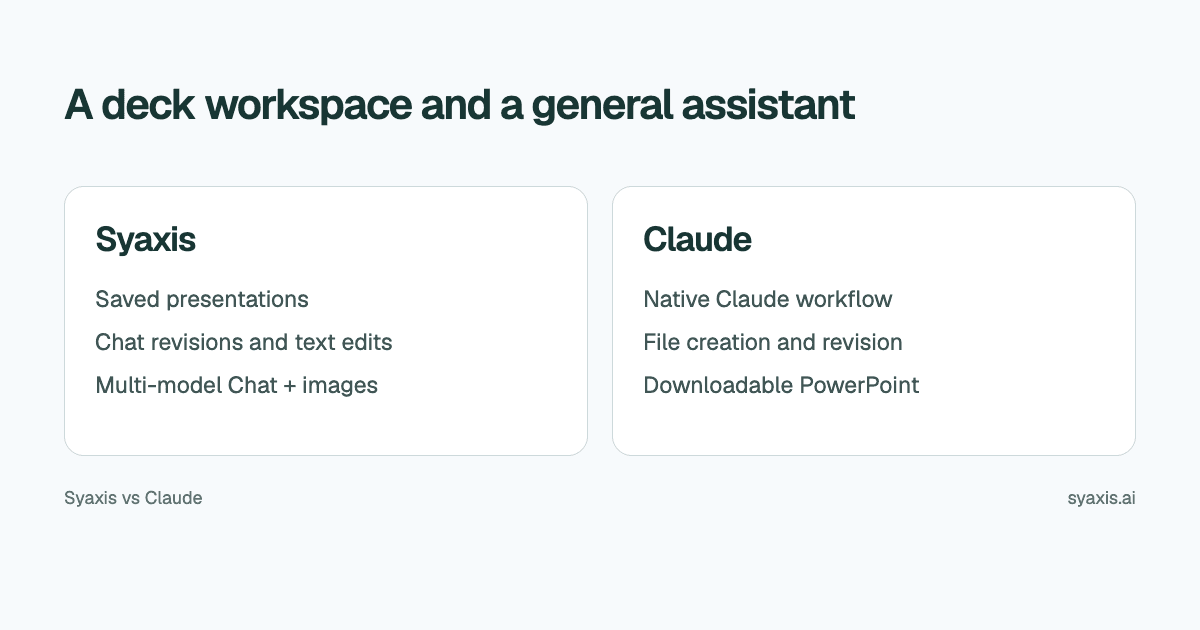
Claude can create and revise PowerPoint files; this is not a comparison between a slide maker and a text-only chatbot. Syaxis provides a saved presentation workspace alongside multi-model Chat and image generation and editing. Claude brings Anthropic’s native assistant, research, connected sources and file tools to presentation tasks.
In Syaxis, a simple brief can start presentation creation directly; research and content preparation happen within that workflow. Chat is optional preparation when you want to examine sources and shape the material yourself.
Choose Syaxis when you want a dedicated place to inspect and revise decks, alongside model choices and image work in Chat. Choose Claude when its native research, connected tools and broader document workflow are the capabilities you need. Claude can create PowerPoint files; the difference is not slides versus text, but the product in which you do the work.
Written by Syaxis from product documentation reviewed on October 9, 2026.
One Syaxis subscription covers everyday AI Chat, research, images and presentations, within plan allowances.
Syaxis combines a dedicated deck workspace with multi-model Chat, web/source research and image generation or editing.
Access to a Claude model through another service does not include a Claude subscription.
Compare the product, not only the model name
Anthropic’s file-creation guide includes PowerPoint and PDF creation on Free as well as paid plans, across web, desktop and mobile. Usage limits and organization controls still apply.
Anthropic’s Claude overview also describes research and connected-source work. Research is available on both sides of this comparison, through different products and tools.
| Decision | Syaxis | Claude |
|---|---|---|
| Primary presentation workflow | Brief → built-in research and content preparation → slides | Presentation files created through the Claude app’s file workflow |
| Starting material | A simple brief is enough; optionally add notes or files, or curate the content in Chat first | Instructions and source files supplied to Claude |
| Research | Built-in research during presentation creation; web search, source reading and uploaded-file analysis in Chat | Native research and connected-source tools, subject to access |
| Revisions | Revise the saved deck through conversation and edit slide text directly | Requests to revise the generated file |
| Other AI work | Presentations, everyday Chat, research, image generation and editing | Claude’s native assistant, research and file tools |
| Free access and limits | Limited recurring Free allowance; branded deck exports; Chat model choice from Basic | File creation on Free and paid plans, within usage limits |
Claude chat, model access and add-ins are different surfaces
A model is one component of a product. A native application can combine it with file tools, connectors, instructions and account features. Calling a model from another service does not automatically reproduce that application.
In Syaxis, Basic and above allow model choice in Chat; Free uses Auto. Selecting an available Claude model there does not buy Claude Pro, enable every Claude integration or determine every internal model used for presentation generation. Choose the subscription according to the workflow you want to use.
Give either workflow a complete presentation brief
Consider an illustrative customer-retention review. The source report contains churn observations, interview notes and proposed interventions. The desired output is a leadership deck asking for one pilot, not a summary of every paragraph in the report.
A useful brief specifies the audience, the decision, the evidence and the output. For example: ‘Create a seven-slide leadership presentation from the attached review. Distinguish measured churn from interview hypotheses. Compare the proposed interventions using the supplied criteria. Recommend one pilot only if the evidence supports it, and retain the main uncertainty.’
Keep facts, hypotheses and proposed actions separate: an observed pattern is not a proven cause. The Claude PowerPoint guide covers preparing the actual file request.
What a presentation workspace changes
In Syaxis, the deck is a saved work product that you can return to and revise through chat. You can inspect the slides and make exact text changes directly. That fits a workflow in which a draft becomes a client version, then an executive version, then a revised recommendation.
For the retention review, a revision might say: ‘Make this suitable for the customer-success team. Put the operational dependencies before the pilot recommendation. Keep the distinction between measured churn and interview hypotheses.’ Review whether the change improves the explanation without strengthening unsupported claims.
Claude's documented file workflow also supports asking for revisions. The choice is not whether revision is possible; it is where you prefer to manage the artifact and whether the surrounding workspace helps with repeated deck work. A user happy with an existing Claude file workflow may have little reason to switch for an occasional presentation.
Optional: explore the retention review yourself in Chat
If you want to shape the content yourself before generation, Chat provides an optional preparation step. In Syaxis Chat, ask questions about the uploaded retention report and research public sources for context. For example, separate evidence from customer interviews from broader explanations of churn. You can then ask for an illustrative image of the proposed onboarding experience and edit it through follow-up instructions.
When you need the leadership deck, ask Chat to create it from the conversation and sources. Open the saved presentation to revise its slides through chat or make precise text changes. That makes presentations a continuing work product alongside your other Chat tasks, rather than requiring every conversation to end in a deck.
The choice is the combination you use repeatedly: Syaxis’s presentation workspace, research and image tools with paid Chat model selection, or Claude’s native application and file workflow. Using a Claude model in Syaxis does not import Claude’s connectors or subscription benefits.
Evaluate the file the recipient will actually use
Syaxis exports PowerPoint, PDF and PNG. Claude's documentation includes downloadable PowerPoint files. Neither fact alone demonstrates that every chart contains editable data or that every font will be available to the recipient.
For the retention review, specify three handoff requirements: the team must change the pilot owner, update the date and replace the evidence table next month. Check those operations in the receiving application. An exported image of a table and an editable table can look similar while serving different maintenance needs.
If the deck is a final reading copy, PDF may be sufficient. If someone will keep building on it, preserve the source material and identify which file becomes authoritative. Avoid accumulating similarly named versions with unclear approval status.
One subscription for everyday Chat, research, images and decks
Syaxis Chat can be your everyday assistant for writing, learning, brainstorming, planning and questions unrelated to a presentation. Research, image generation and editing, and deck creation are included in the same subscription. If these capabilities cover your needs, you do not need to buy a separate AI chat, research, image and presentation subscription. Compare any native Claude tools you still depend on before replacing that service.
Syaxis combines those activities under its own plans, with credits and presentation limits. Free exports are branded. Model choice in Chat starts at Basic. Check Claude's current plans separately; native-product allowances are not interchangeable with Syaxis credits.
Choose Syaxis for a presentation-centered process with built-in research and ongoing deck revisions. Choose Claude when its broader file workflow already suits how you work. If the requirement is an AI add-on inside existing slide software instead, that is another decision covered in Syaxis vs Plus AI.
FAQ
Can Claude create a finished PowerPoint file?
Yes. Anthropic documents PowerPoint creation through Claude’s file tools. Account settings and access conditions still matter, and the resulting content should be reviewed.
Do I get Claude Pro through Syaxis?
No. Access to a supported Claude model in Syaxis Chat is different from a Claude subscription and its native tools. Syaxis has its own interface, capabilities and usage limits.
Do I need Claude Pro to create a PowerPoint?
No. Anthropic’s current guide includes file creation on Free. The Code execution and file creation capability must be available in the account, and the task uses the plan’s allowance. Organization administrators can control availability.
Should I cancel Claude if I use Syaxis?
Not solely because both can help create presentations. Consider the other Claude features you use and whether Syaxis covers those needs. The services need not replace one another completely.
Choose Syaxis when the retention review leads to recurring deck revisions and you also want research, images and model choices in Chat. Choose Claude when its native research and file workflow already provides the working environment you need. Both can produce PowerPoint; decide where you want to maintain the work after generation.
How we prepare our guides
Syaxis uses AI to assist with drafting and translation. Comparisons draw on linked sources; they are not hands-on tests unless a test method is described. Worked examples are illustrative unless identified otherwise.
Create a presentation
Turn your source material into a presentation, then refine the deck through chat.