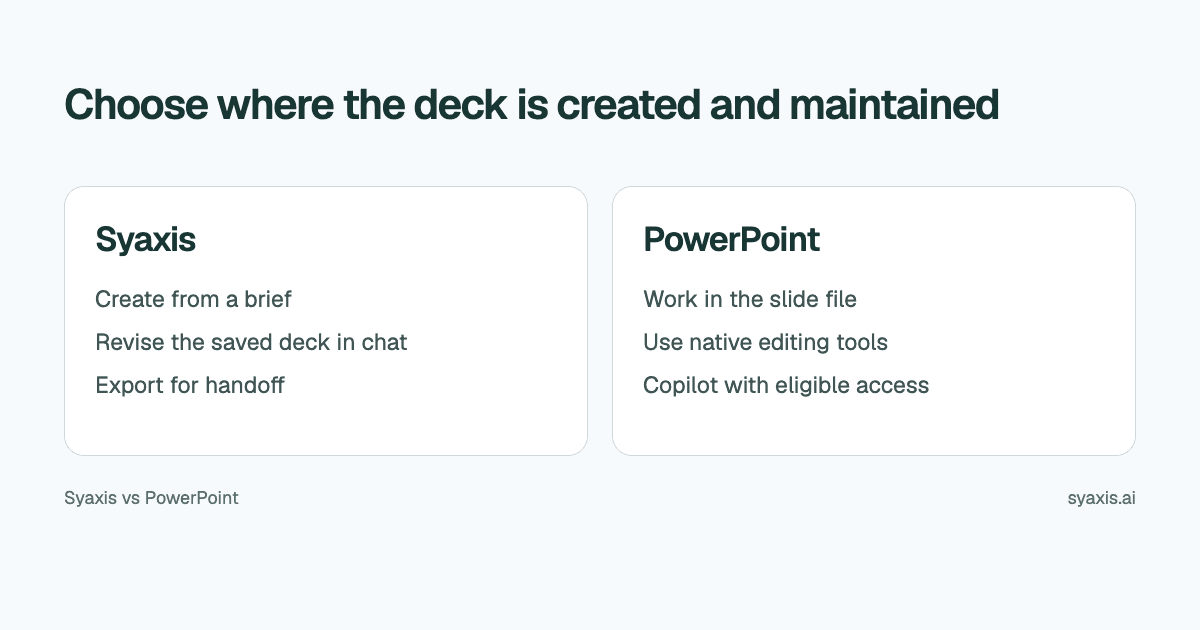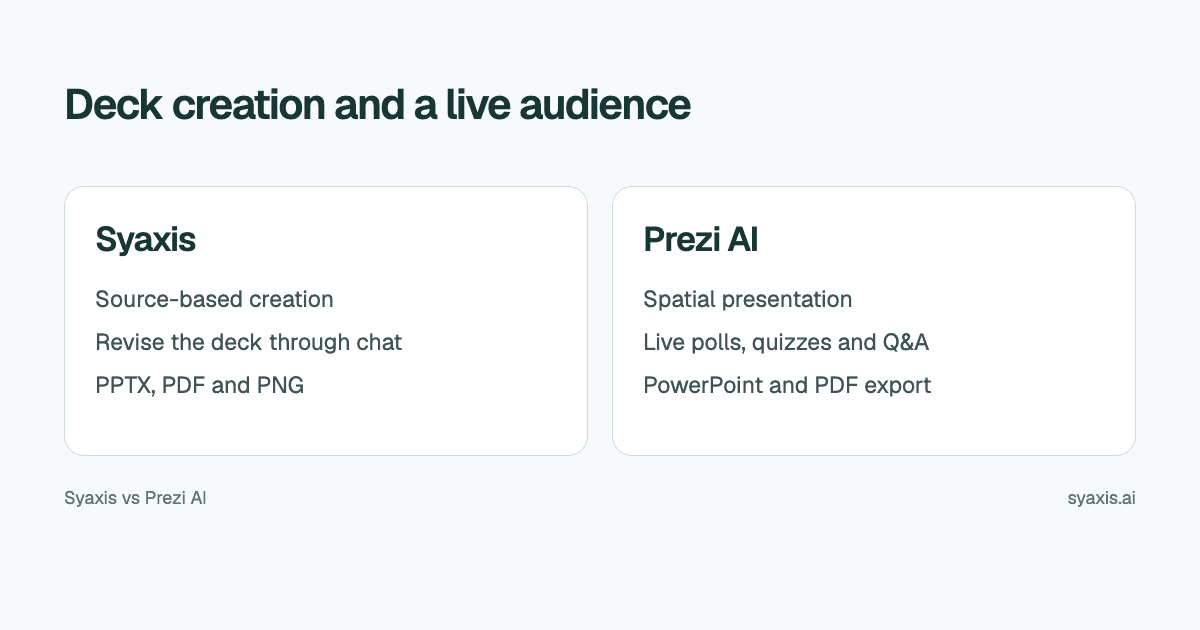
A deck sent for review and a live presentation shaped by audience questions have different requirements. Syaxis creates researched slide decks and supports ongoing revisions in a dedicated workspace. Prezi combines AI creation with spatial navigation and audience activities such as polls, quizzes and Q&A. Both support downloadable presentations.
In Syaxis, a simple brief can start presentation creation directly; research and content preparation happen within that workflow. Chat is optional preparation when you want to examine sources and shape the material yourself.
Choose Syaxis when preparing and maintaining the deck is the main task, including the research and visual ideas behind it. Choose Prezi when navigating a topic map and collecting live audience responses are important parts of the session. Both support AI creation and downloadable presentations; a readable file is not exclusive to either product.
Written by Syaxis from product documentation reviewed on October 9, 2026.
One Syaxis subscription covers everyday AI Chat, research, images and presentations, within plan allowances.
Prezi’s live polls, quizzes and Q&A are a separate capability from nonlinear navigation.
An exported file may represent the content without preserving the original presentation experience.
Start with the audience’s experience
Prezi's AI presentation page describes generation from prompts and uploaded source files. Its Present FAQ explains the presentation environment. Syaxis centers on a saved deck plus Chat.
Prezi’s current product overview also describes audience participation and PPTX/PDF exports. A downloadable reading copy is available from both services.
| Requirement | Syaxis | Prezi AI |
|---|---|---|
| Authoring task | Brief → built-in research and content preparation → slides | Generate a presentation from a prompt or supplied source material |
| Narrative planning | A slide sequence for the intended audience | Consider a spatial or nonlinear route through topics |
| Revisions | Revise the saved deck through conversation and edit slide text directly | Edit generated text, images and layout; add audience activities |
| File delivery | Editable PowerPoint (.pptx), PDF reading copies and PNG slide images | PowerPoint and PDF export documented |
| Live audience interaction | No built-in live polling or audience Q&A | Live polls, quizzes and audience Q&A |
| Deciding question | Do you need research and image work alongside deck authoring? | Do you need spatial navigation and live audience responses? |
Two ways to explain the same product briefing
Imagine an illustrative briefing for a customer evaluating a software rollout. The audience needs to understand the problem, the proposed workflow, the implementation dependencies and the purchase decision. The same facts can be arranged differently depending on the meeting.
For a short decision meeting, a linear sequence can state the recommendation, explain the problem, show the workflow, disclose dependencies and finish with a next step. For an exploratory workshop, a topic map can let the presenter revisit the workflow or dependencies when questions arise.
| Stage | Linear deck | Nonlinear discussion |
|---|---|---|
| Opening | State the decision and recommendation | Show the overall problem and related topics |
| Main explanation | Move through evidence in a planned order | Explore the branch relevant to the discussion |
| Questions | Return to a specific supporting slide | Navigate among connected topics |
| Follow-up | Send a coherent reading sequence | Prepare a clear summary of the path and conclusions |
Optional: prepare the customer briefing yourself in Chat
If you want to shape the content yourself before generation, Chat provides an optional preparation step. For the rollout briefing, use Syaxis Chat to examine the supplied product notes and research external requirements that affect implementation. Ask which prerequisites are confirmed and which need a customer decision. This work can stay as a Chat conversation if you do not yet need slides.
Ask Chat to generate or edit a conceptual image of the rollout, then request a presentation: “Explain the rollout to an operations manager. Keep prerequisites visible. Separate released capabilities from proposed work. End with the information needed to scope a pilot.” Open the created deck to revise the actual slides in its presentation workspace.
Prezi also accepts source files for AI creation. Its distinct value in this scenario is the live session: use a topic map to follow audience questions and audience activities to gather responses. Syaxis’s research and image tools support preparation; they do not replace a live polling system. The presentation outline guide helps plan either format.
A live session needs more than a different slide order
Prezi’s product overview describes live polls, quizzes and Q&A that participants join from their phones. This matters for a training session or customer workshop where the presenter needs answers from the room. Syaxis’s current presentation workspace does not supply an equivalent live audience-response system.
For the rollout briefing, a useful question is “Which implementation dependency is still unresolved?” A live response can change what the presenter explains next. A spatial overview helps navigate to that topic; an audience activity gathers the information that makes the navigation useful.
If the audience will only read the proposal later, those live features carry less weight. Keep the recommendation, prerequisites and next step understandable without interaction. Syaxis’s deck creation and conversational revisions fit that authoring task, while Prezi can support both a live session and an exported reading copy.
Revise for the meeting you actually have
A presentation prepared for a workshop may later need to serve as an executive update. That requires a change in narrative, not simply a different color scheme. Remove exploratory branches from the main story and keep the evidence behind the conclusion accessible.
Syaxis supports chat-based changes to the saved deck. For this scenario, ask: ‘Make this suitable for a ten-minute decision meeting. Open with the proposed pilot and its prerequisites. Reduce the background, preserve the unresolved dependencies and make the final ask explicit.’ Review the result to confirm that shortening the deck has not made uncertainty disappear.
Use exact text editing for the final approved names and wording. If you need broader idea development, Syaxis Chat is available alongside presentations; Basic and above offer model choice, while Free uses Auto.
Compare the subscription and the exported experience
Syaxis also covers AI work between presentations. Chat can help with writing, learning, planning, web research and generating or editing images, without a deck as the end goal. Those capabilities and presentation creation are included in the same subscription, so you do not need separate paid tools for each when Syaxis meets the need. Live audience-response features are a different requirement.
Prezi documents PowerPoint and PDF export. That makes it inaccurate to frame the choice as Prezi interaction versus any downloadable deck. A fixed file still does not reproduce the live polling, Q&A or nonlinear navigation of the session.
Syaxis exports PowerPoint, PDF and PNG. A PDF is useful when the recipient only needs to read; a PowerPoint file is relevant when slides need further editing; PNG is for image-based use. Inspect the actual file in the receiving application rather than equating format support with perfect compatibility.
Compare Prezi's plans with Syaxis pricing using the delivery requirement. Syaxis Free has limited creation and credits, with branded exports. Paid use still has plan limits. There is no reason to buy a capability you will not use simply because it appears in a large feature list.
Choose the story format before the software
Choose Syaxis for researching the briefing, developing images in Chat and maintaining a deck with conversational revisions. Choose Prezi AI when spatial navigation, polls, quizzes or Q&A are part of the meeting design. If you only need an exported reading copy, compare the authoring workflow and file rather than paying for interaction you will not use.
For a sales meeting, prepare both a live narrative and a readable follow-up. They may use the same evidence but different ordering. The client presentation guide explains how to make the decision and next action clear without requiring the reader to have attended the meeting.
FAQ
Is a nonlinear presentation always more engaging?
No. It is useful when the navigation helps people understand or explore relationships. A concise slide sequence can be a better fit for a time-limited decision or asynchronous review.
Can Prezi AI start from a document?
Prezi documents source-file uploads for AI presentation creation. Check the current supported formats and plan requirements for the account you intend to use.
Can I export a Prezi presentation to PowerPoint or PDF?
Yes. Prezi documents both formats. The export is a file handoff; live audience responses and interactive navigation are separate parts of the Prezi experience. Check the final file before distributing it.
Choose Syaxis to create a researched deck directly from a brief, then revise and export it. Use Chat first when you want hands-on preparation of sources or images. Choose Prezi when spatial navigation and live audience responses shape the session. In either case, give attendees a follow-up that makes sense without the live presentation.
How we prepare our guides
Syaxis uses AI to assist with drafting and translation. Comparisons draw on linked sources; they are not hands-on tests unless a test method is described. Worked examples are illustrative unless identified otherwise.
Create a presentation
Turn your source material into a presentation, then refine the deck through chat.