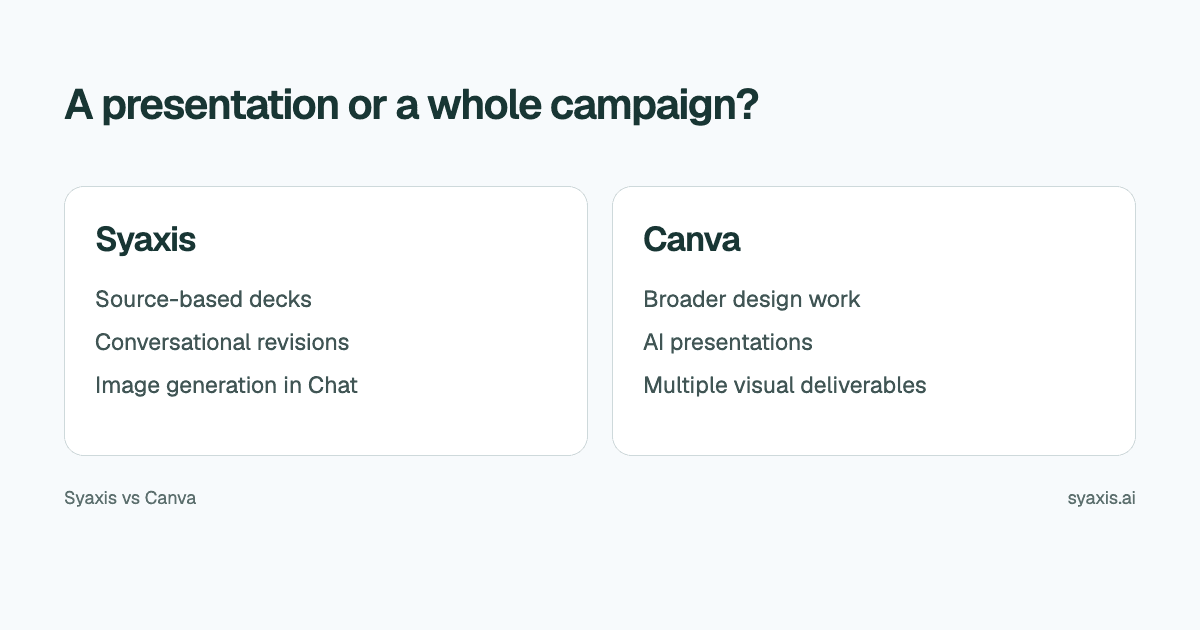
A presentation may be your final deliverable, or one part of a campaign that also needs social posts, graphics and print material. Syaxis focuses on researched deck creation alongside everyday AI Chat and image work. Canva places presentations inside a broader design environment, with tools for creating and adapting those other visual assets.
In Syaxis, a simple brief can start presentation creation directly; research and content preparation happen within that workflow. Chat is optional preparation when you want to examine sources and shape the material yourself.
Choose Syaxis when the hard part is working out what a presentation should say from questions, evidence and a brief. Choose Canva when the main job is designing and adapting a coordinated set of visual deliverables. Both support AI presentation creation and image work. The practical distinction is Canva’s broader design environment compared with Syaxis’s presentation workflow, which researches a brief and also supports optional Chat preparation.
Written by Syaxis from product documentation reviewed on October 9, 2026.
One Syaxis subscription covers everyday AI Chat, research, images and presentations, within plan allowances.
Both products offer AI presentation workflows; templates versus AI is a false distinction.
Treat presentation export, image assets and final campaign files as separate requirements.
Syaxis and Canva at a glance
Canva describes its AI presentation maker as generating a presentation from a prompt. Syaxis creates presentations directly from a brief with built-in research and content preparation. Chat offers an additional path for exploring sources and images before requesting a deck. The meaningful question is how much of your job belongs in each workspace.
Canva’s download-format guide lists PPTX for presentation designs, plus PDF and PNG. PowerPoint delivery is available from both products.
| Decision | Syaxis | Canva |
|---|---|---|
| Main scope | Presentations, everyday Chat, research, image generation and editing | Presentation creation within a broader design platform |
| Create directly from a brief | Brief → research and slides; optional notes, source files or preparation in Chat | Prompt-based AI presentation generation |
| Revision approach | Revise the saved deck through conversation and edit slide text directly | Design work within Canva’s presentation environment |
| Image work | Generate images from a prompt, then edit them with feedback in Chat; uploaded images can also be edited | Visual assets and image tools in the design workflow |
| Deck delivery | Editable PowerPoint (.pptx), PDF reading copies and PNG slide images | PPTX for presentation designs; PDF and PNG downloads |
| Plan question | Credits and presentation caps; Chat model choice from Basic | The particular AI features, assets and design access you need |
List the campaign assets before choosing a presentation tool
Consider a fictional product launch. The marketing lead needs a sales presentation, a one-page handout, social graphics and a webinar background. These outputs share a message, but they are not all slide decks. Buying for the presentation alone could leave the rest of the work unresolved.
If most of the effort is explaining the launch to customers, Syaxis's source-to-presentation workflow may fit. Supply the positioning brief, approved product facts and objections the deck must address. If most of the effort is producing and adapting many visual formats, that broader requirement should carry more weight in the Canva decision.
| Deliverable | Define before creating |
|---|---|
| Sales presentation | Audience problem, evidence and next action |
| Handout | Information that must be understandable without narration |
| Social graphics | Platform-specific sizes and approved visual assets |
| Webinar background | A restrained composition that works behind a speaker |
Optional: curate the launch message in Chat before generation
If you want to shape the content yourself before generation, Chat provides an optional preparation step. For the product launch, attach the positioning brief in Syaxis Chat and ask it to compare the customer objections with the released capabilities. It can read uploaded material and research public sources when you need market context. Ask for links behind competitor claims, and keep planned features separate from what is available now.
Then ask Chat to create the sales presentation from the approved message. For example: “Explain the new reporting feature to existing customers. Use the released capabilities from the brief. Include setup requirements, the customer workflow and the next step. Label planned integrations as planned.” The result is a saved deck; make later slide changes in the presentation workspace.
You can also generate a campaign illustration and edit it with follow-up instructions in Chat. That gives Syaxis an image workflow beyond the deck, but it does not make it a substitute for Canva’s entire design suite. The sales deck guide explains how to organize the message before adapting it into other assets.
Decide which changes need AI and which need direct control
A presentation can need two kinds of revision at once. The product team may want a different argument while the designer wants consistent labels. A request to make the deck more professional does not distinguish those jobs.
Syaxis lets you ask for a change to the deck through chat and make exact text corrections directly. For example, ask to lead with the customer's reporting problem rather than the product architecture, then verify that the setup requirements remain visible. A wording correction such as an approved product name does not require rewriting the whole story.
For a Canva-based launch, keep reusable visual assets and the presentation together when the broader design work is central. For a Syaxis-based launch, keep the approved product brief and deck revisions together when developing the sales argument is central. In either case, choose one owner for the approved final copy.
Keep a presentation editable when handing it to sales
Canva’s PowerPoint export tutorial explains how to download a presentation as PPTX. Its file-type guide limits that export to presentation designs. A social graphic or handout should be treated as its own deliverable rather than assumed to be an editable slide.
Syaxis supplies PPTX for further slide editing, PDF for a reading copy and PNG slide images in a ZIP. For the launch, specify which copy sales will maintain. The headline, offer and product name may need later changes; exporting only images would remove that editing path.
For campaign illustrations, Syaxis Chat supports both generating an image and editing an existing image you supply. Treat those visuals as illustrative artwork; use genuine screenshots to demonstrate the actual product. The presentation visuals guide helps distinguish those purposes.
Compare the whole subscription, including work without a deck
Syaxis Chat is a general-purpose assistant, not just a presentation-planning tool. You can draft campaign copy, explore ideas, ask questions, research a topic or generate and edit an image without making slides. The same subscription includes presentation creation. If these capabilities cover your work, Syaxis can replace separate subscriptions for chat, research, images and presentations; it does not replace Canva’s entire design suite.
Use Canva's current plans to check the assets and AI features relevant to your account. Canva's Magic Design page notes limits for Free usage. Do not assume that a free design account includes every feature shown in a paid demonstration.
Syaxis's pricing separates plan allowances for presentation creation and usage credits. Free exports carry Syaxis branding; choosing models in Chat requires Basic or above. Those constraints matter whether you make pitch decks, client proposals or internal updates.
Compare the workload you actually have. Paying for a broad design suite can be reasonable when it replaces several design tasks. Paying for a presentation-and-Chat workspace can be reasonable when source analysis, deck creation and revisions are frequent. Neither conclusion follows from the number of features on a pricing page.
Which workflow fits your role?
Choose Syaxis when the core job is turning source material into a deck, revising the argument through chat and using Chat for related thinking or images. Choose Canva when the deck is part of a wider design workload that you want to keep in its environment.
For delivery, decide whether the recipient needs a fixed PDF or a presentation file they can edit. Check important slides in the receiving app. If you need a broader shortlist before selecting a pair to evaluate, read Canva presentation alternatives.
FAQ
Can Canva make a presentation with AI?
Yes. Canva documents prompt-based AI presentation creation. Compare the actual workflow and access conditions rather than assuming its presentations must be assembled manually.
Does Syaxis replace Canva for social graphics and print design?
Syaxis currently centers on Presentations and Chat, with image generation in Chat. It should not be treated as a replacement for the entire Canva design suite.
Can I hand a Canva or Syaxis presentation to someone using PowerPoint?
Both offer PPTX delivery. Canva restricts PPTX download to presentation designs; Syaxis exports the deck from its presentation workspace. Open the result in the recipient’s app and confirm that the text and visuals they need to change remain usable.
Choose Syaxis to develop a researched launch presentation from a brief, with optional Chat preparation to work through customer questions and curate the message yourself. Choose Canva when producing and adapting the full campaign asset set is the larger task. AI images and PPTX exports are available in both workflows; the deciding factor is the work surrounding them.
How we prepare our guides
Syaxis uses AI to assist with drafting and translation. Comparisons draw on linked sources; they are not hands-on tests unless a test method is described. Worked examples are illustrative unless identified otherwise.
Create a presentation
Turn your source material into a presentation, then refine the deck through chat.