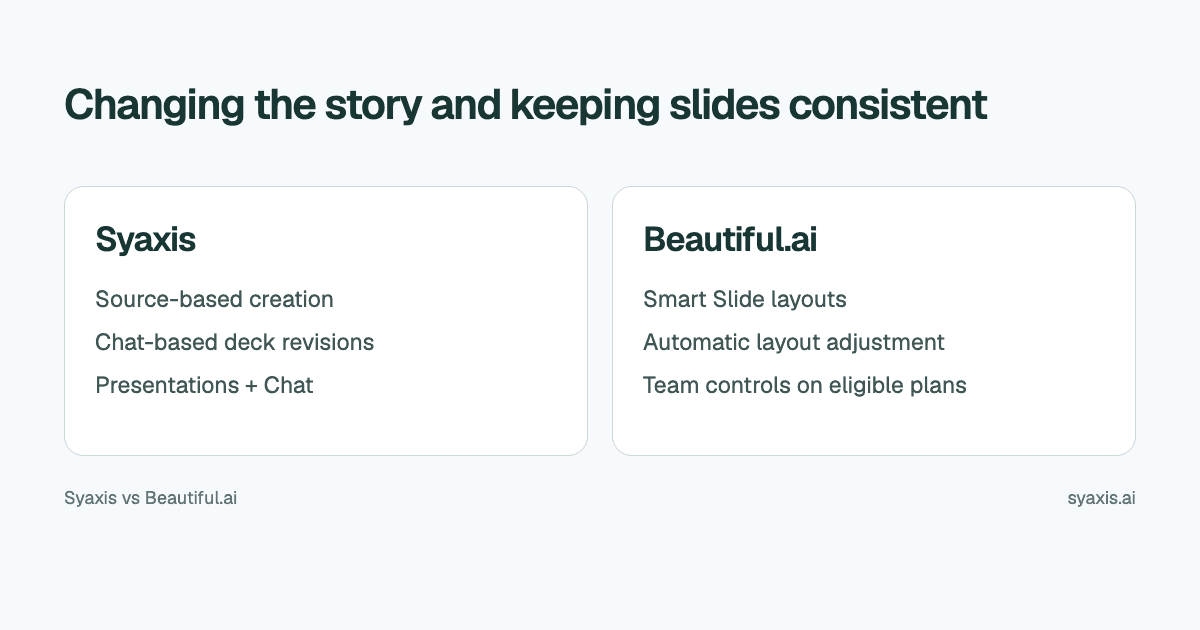
For recurring presentations, distinguish changing the argument from maintaining a consistent layout. Syaxis combines researched deck creation and conversational revisions with everyday AI Chat and images. Beautiful.ai offers adaptive Smart Slides, freeform Classic Slides and, on its Team offering, shared libraries and brand controls.
In Syaxis, a simple brief can start presentation creation directly; research and content preparation happen within that workflow. Chat is optional preparation when you want to examine sources and shape the material yourself.
Choose Syaxis when you want a researched presentation developed from a brief, with optional hands-on preparation in Chat and everyday AI tools beyond slides. Choose Beautiful.ai when repeatable slide layouts, shared approved content and team design governance are central. Both accept source context and support AI-assisted creation; the difference is the workflow you need around the deck.
Written by Syaxis from product documentation reviewed on October 9, 2026.
One Syaxis subscription covers everyday AI Chat, research, images and presentations, within plan allowances.
Team brand governance is a specific requirement; it is not the same as choosing colors.
Confirm the export type and relevant plan before promising an editable handoff.
The practical comparison
Beautiful.ai's product and plan descriptions explain Smart Slides and distinguish individual and team features. Syaxis's current scope is Presentations and Chat; it should not be assumed to offer equivalent team governance.
| Requirement | Syaxis | Beautiful.ai |
|---|---|---|
| AI creation | Brief → research and content preparation → slides | Generate a presentation with AI using a prompt, file or link context |
| Revisions | Revise the saved deck through conversation and edit slide text directly | Text editing within the presentation workflow |
| Layout control | Request layout changes in the saved deck; direct text edits | Adaptive Smart Slides or freeform Classic Slides |
| Working from sources | Built-in research during presentation creation; web search, source reading and uploaded-file analysis in Chat | AI generation using file or link context |
| Team requirements | Individual deck workspace; no live coediting or shared slide library | Shared libraries, live editing and locked slides on its Team offering |
| Delivery | Editable PowerPoint (.pptx), PDF reading copies and PNG slide images | Editable PPTX and Google Slides on eligible plans; PDF |
| Related work | Presentations, everyday Chat, research, image generation and editing | Presentation-focused design workflow |
Separate layout consistency from a change in the story
A recurring business presentation has stable parts and changing parts. The reporting period and approved terminology might stay predictable, while the reason for a missed target changes completely. A layout system and an AI revision workflow solve different portions of that job.
For a fictional QBR, suppose the author must add a newly discovered delivery risk. Merely placing another bullet on the existing risk slide may not be sufficient: the recommendation could also need to change. In Syaxis, ask for the effect on the deck's argument, not just a tidier risk list.
An illustrative instruction is: ‘Move the capacity risk before the recommendation. Keep the approved revenue figures and reporting dates. Explain why the proposed expansion now depends on a hiring decision.’ Then inspect the relationship between the evidence and the recommendation. The QBR guide gives a concrete structure for that review.
When a guided layout is the requirement
Beautiful.ai’s Smart Slides automatically adjust their layout as content changes. It also offers Classic Slides, a blank-slide option for freeform placement without those design guardrails. Compare Smart Slides for repeated structures and Classic Slides for exceptions, rather than assuming every Beautiful.ai slide is constrained to an adaptive layout.
Specify the content roles before choosing a layout: one conclusion, three comparison criteria, a necessary qualification and a source note. If a long customer name or additional criterion appears, the requirement is to preserve the relationship among those items, not merely to make everything fit.
A useful reporting slide might have one clear recommendation and a supporting table. If the table is too dense, splitting evidence across slides may communicate more clearly than shrinking it. That editorial decision still belongs to the author, whichever tool handles the layout.
Optional: refine the QBR recommendation yourself before generation
If you want to shape the content yourself before generation, Chat provides an optional preparation step. In Syaxis Chat, upload the customer report and ask what supports the proposed expansion. Chat can analyze supplied material and research public context, such as market changes. It can also generate or edit a conceptual image to explain a proposed workflow. None of those tasks requires you to create a deck first.
When the recommendation is ready, ask Chat to make the QBR from that conversation. Open the presentation workspace to move the risk before the recommendation or change the audience emphasis. Use direct text editing for approved customer names and figures. The benefit is a path from investigation to a maintained deck within Syaxis.
Beautiful.ai also accepts source context and offers AI writing assistance. If your QBR depends on a library of approved slides that multiple account managers reuse, its team design controls address a requirement that Syaxis’s individual workspace does not.
Brand governance is more than a matching color palette
Beautiful.ai’s Team offering lists live collaborative editing, centralized slide and template libraries, and locked slides. These are useful when a sales organization needs approved content to stay consistent across multiple authors. They are a more specific requirement than matching a color palette.
Syaxis should be evaluated for the individual presentation workflow and Chat capabilities described here. Do not infer centralized slide libraries, live coauthoring or enterprise controls from a plan name. If an organization makes those features mandatory, confirm them before adopting a new tool.
For a small agency with one author and a client reviewer, a reviewed export may be enough. For a distributed sales organization updating hundreds of decks, the governance requirement is much larger. Those two teams should not receive the same recommendation simply because both make presentations.
Inspect the kind of PowerPoint file you need
Beautiful.ai distinguishes export choices in its export instructions, including editable and image-based PowerPoint. Its guide lists editable PowerPoint and Google Slides export for Pro, Team and Enterprise. Select the appropriate option for your account. A presentation that opens in PowerPoint is not necessarily a presentation whose every element can be edited.
Syaxis exports PPTX, PDF and PNG. Use a PPTX when the recipient needs to continue working on the deck, while checking the actual elements they will change. Use PDF for a final reading copy and PNG for slide images. Do not promise identical fonts or native chart-data editing across all receiving applications.
For the QBR, identify the next update: will finance replace a number, change chart data or rebuild a table? That task is a more useful compatibility criterion than whether the file simply opens.
Compare slide design with a subscription for broader AI work
Syaxis’s subscription includes everyday Chat, research, image generation and editing, and presentations. You can draft a customer email, explore an idea or investigate a question without starting a deck. If that combination covers your needs, it can replace separate subscriptions for AI chat, research, images and slides. Beautiful.ai’s team design controls remain a separate requirement to consider.
Beautiful.ai advertises a 14-day trial and paid plans. Syaxis has a recurring Free plan with limited presentation creation and usage credits, and Free exports carry branding. A trial and a recurring allowance are different ways to evaluate a product.
Check Beautiful.ai pricing and Syaxis pricing for the plan that includes your requirements. For a team, use the same seat count and billing term. For an individual, distinguish the presentation allowance from any credits used for Chat or images.
Choose Syaxis for a source-to-presentation workflow with chat revisions and related Chat work. Choose Beautiful.ai when its structured design system and documented team features solve your central problem. A broader shortlist is available in Beautiful.ai alternatives.
FAQ
Is Syaxis an alternative to Beautiful.ai?
Yes, for creating and revising presentations. Syaxis combines that workflow with Chat, while Beautiful.ai has its own layout system and team features. Check the actual requirements rather than assuming every capability maps one to one.
Does Syaxis provide live coediting and shared slide libraries?
The current Syaxis workflow reviewed here is an individual presentation workspace, without live coediting or a shared slide library. Beautiful.ai lists those collaboration capabilities in its Team offering. Choose around who needs to edit and approve the deck.
Which tool should I choose for recurring reports?
Separate the repeating layout from the changing argument. Guided layouts can fit stable reporting patterns; source-based creation and chat revisions are relevant when the recommendation or audience changes. Specify the next update and the recipient’s file requirements.
Choose Syaxis for presentation creation from a brief, with built-in research, content preparation and a deck you can revise. Chat offers optional hands-on preparation and everyday AI work alongside it. Choose Beautiful.ai for guided layouts and the documented shared-library and governance features your team needs. For recurring QBRs, the deciding question is whether the bottleneck is developing the recommendation or maintaining approved slides across authors.
How we prepare our guides
Syaxis uses AI to assist with drafting and translation. Comparisons draw on linked sources; they are not hands-on tests unless a test method is described. Worked examples are illustrative unless identified otherwise.
Create a presentation
Turn your source material into a presentation, then refine the deck through chat.